
Setting up your Duet patient portal account


[ 1 ] Ensure you have received a portal invite email within the last 7 days (they will expire after that 7 day period). If you do not have a valid portal invite email, send us an email requesting one at: admin@duetfamilyhealth.com
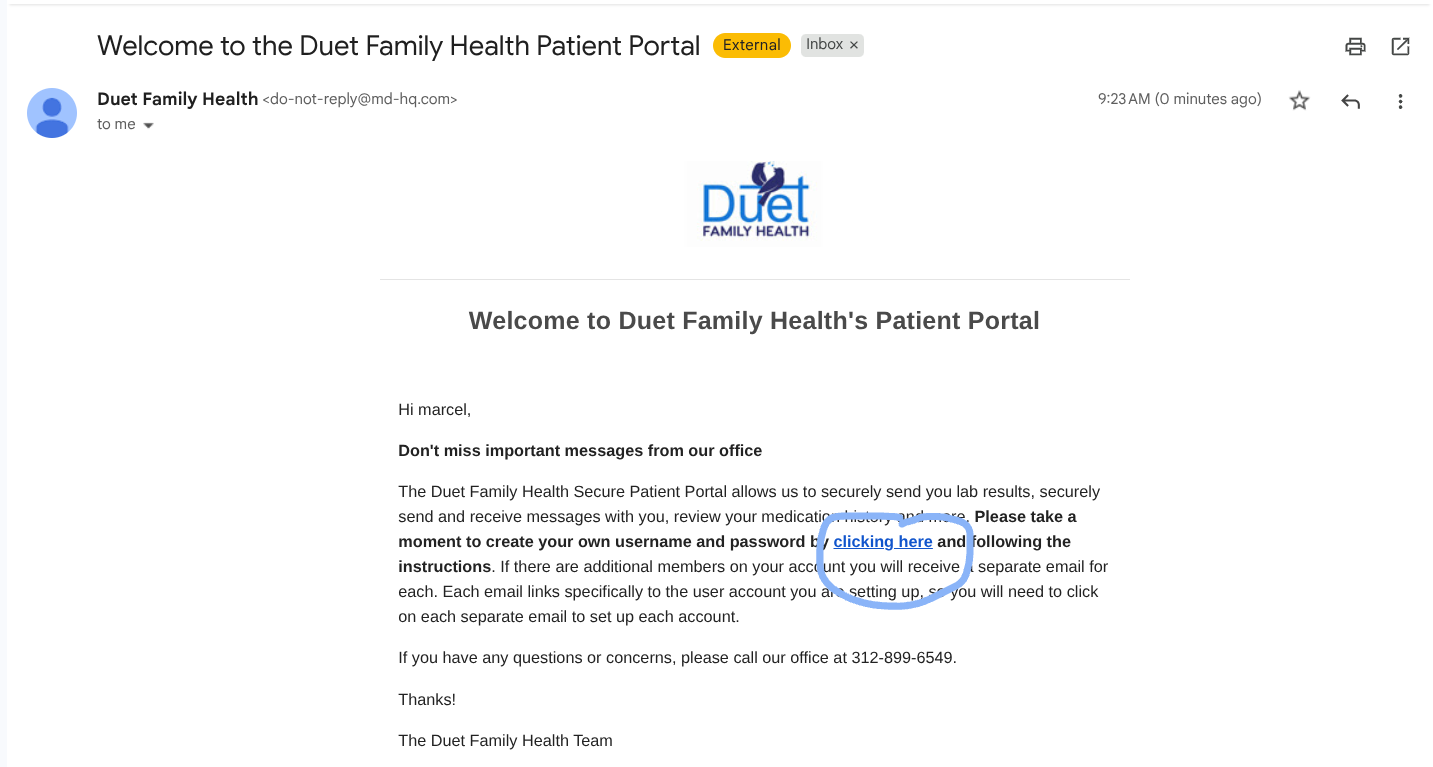
[ 2 ] Open the email and click the blue link to setup your log-in credentials
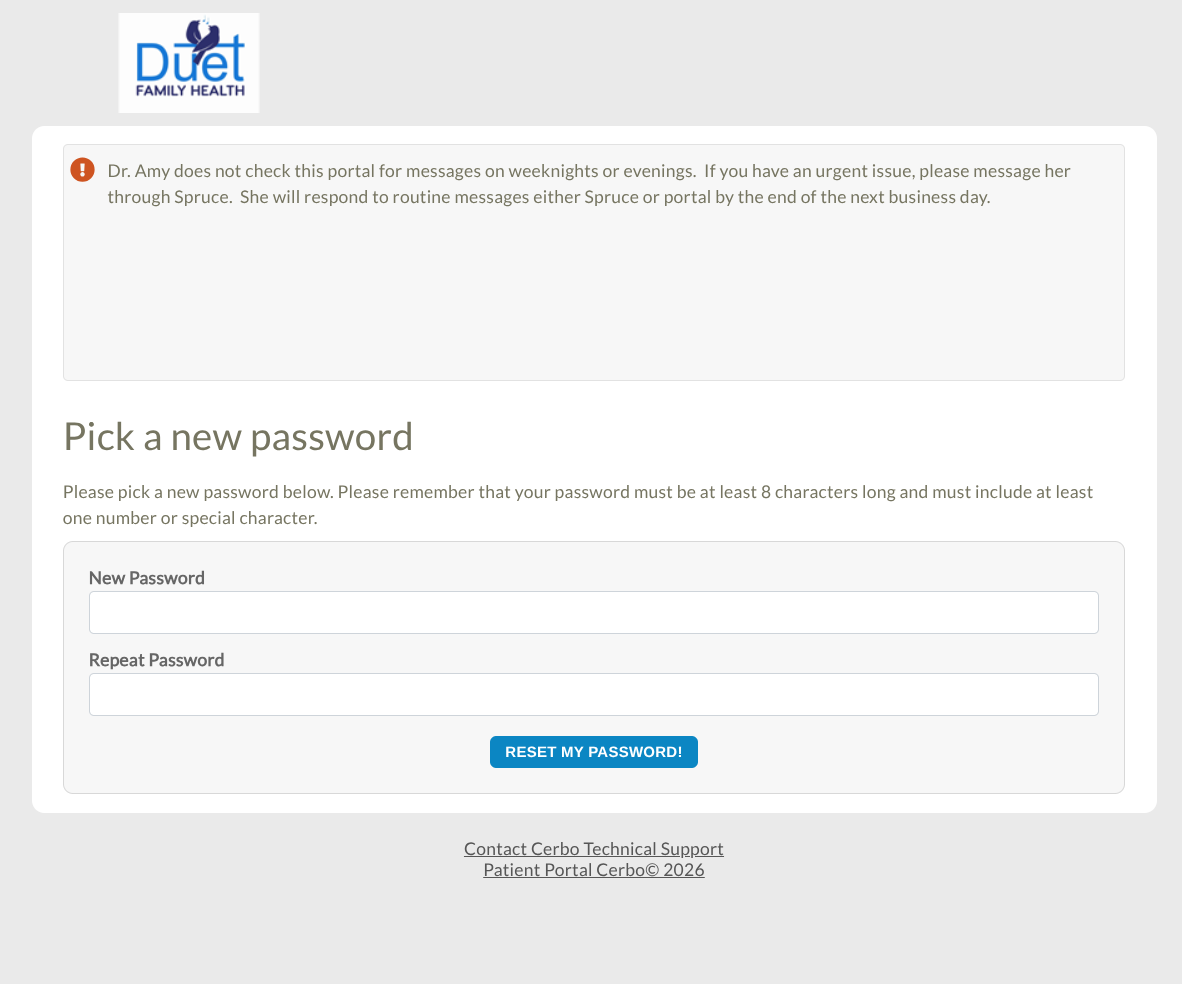
[ 3 ] The link should open a window asking you to set a password, choose one that you will remember (don't worry if you forget, we can always reset it later at your leisure).
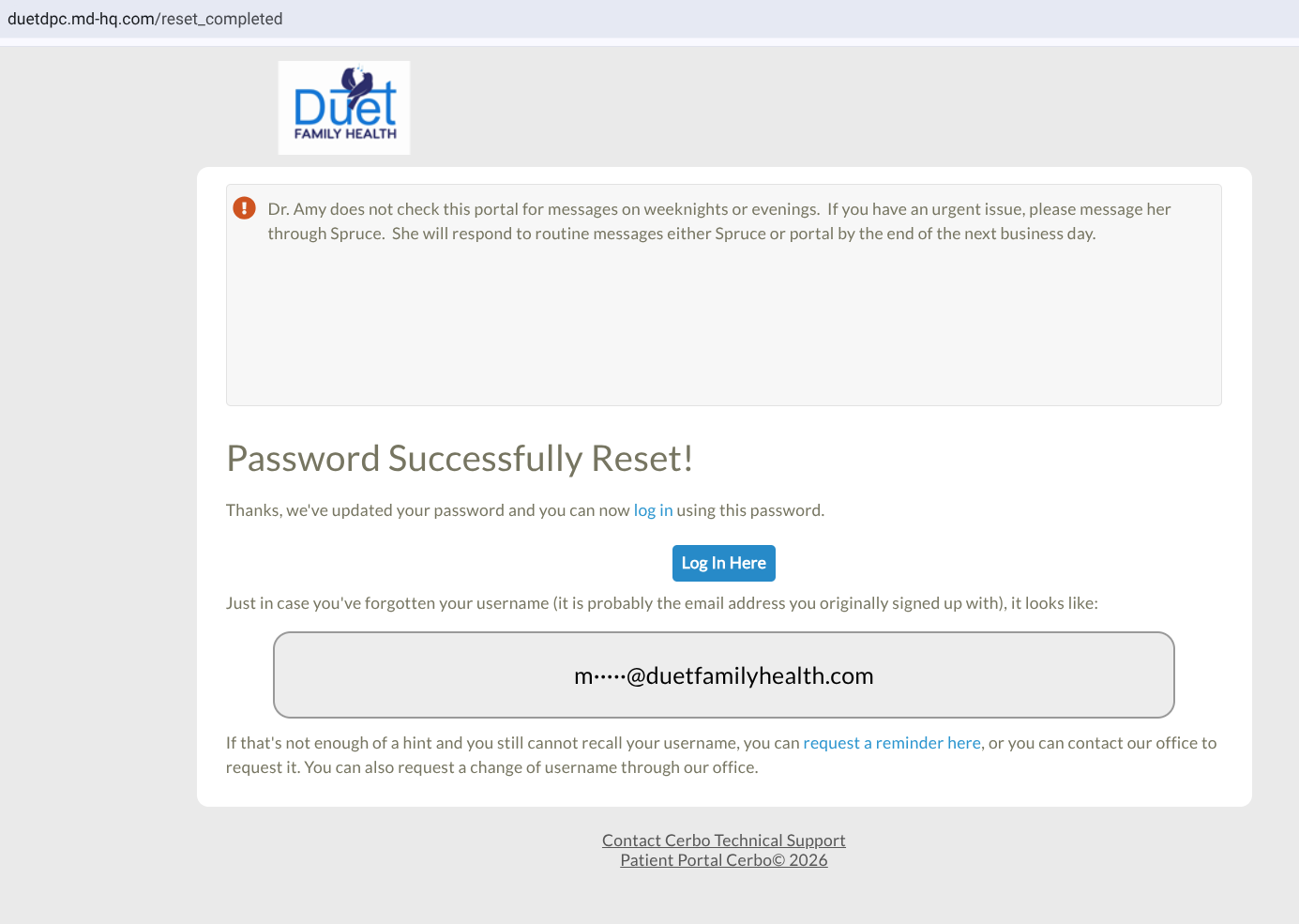
[ 4 ] Your password has now been set! The next screen you will see will display your username (will be the email associated with your account unless made otherwise). You may log-in from here at the blue button.
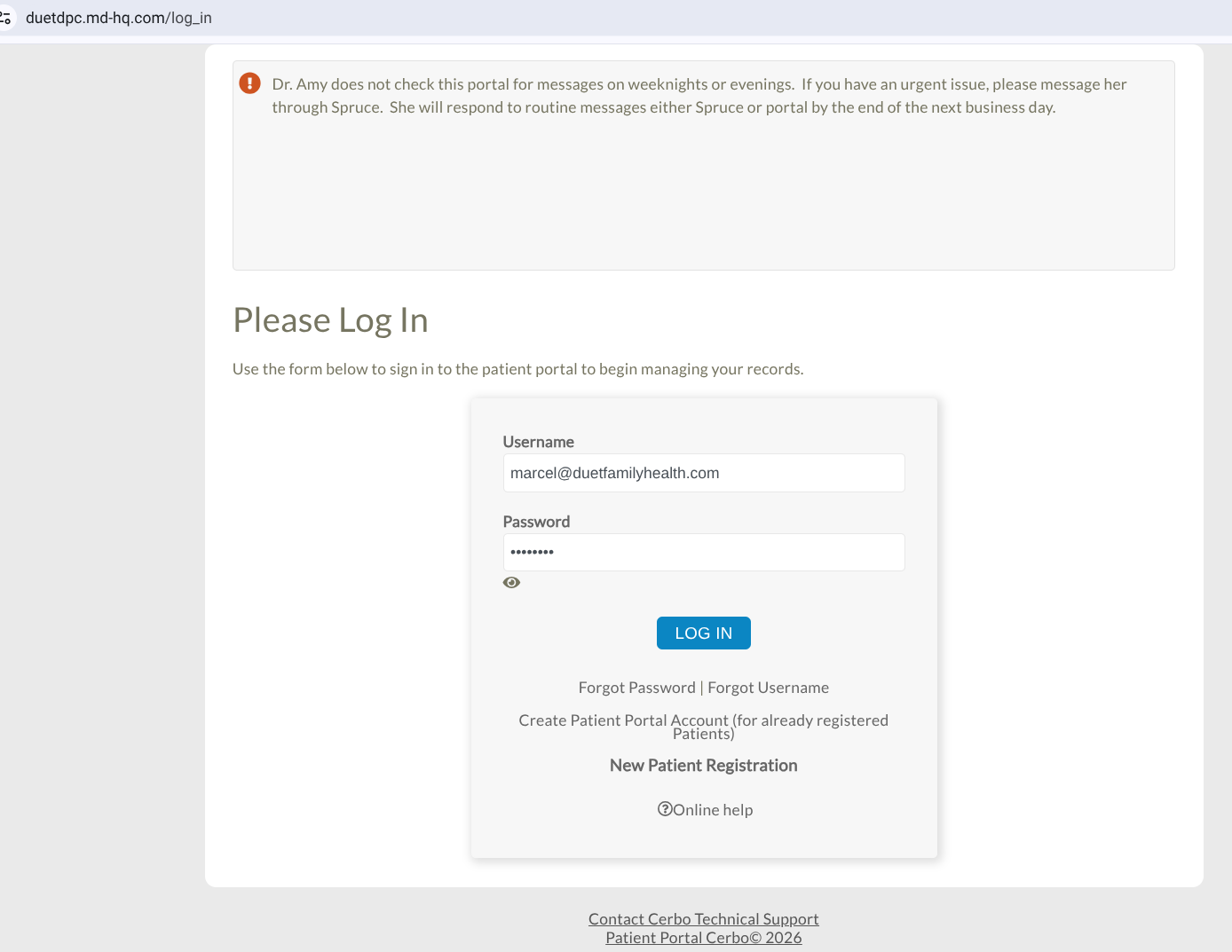
[ 5 ] Clicking that blue button will bring you to the page shown, which will ask for the credentials you just made (username and password). Enter them and click 'log in'. You are now in the patient portal! From here, you can make appointments, access and upload to your chart, and message Dr. Amy Schroeder directly.